Training tools
Training in GYMS-CRM: practice mode, tours and care
In GYMS-CRM a new employee does not start blind: there is a game-style training mode for six roles with points, a review of mistakes and a certificate, guided tours right on the working screens, and a care service that does not leave you without attention. Do not take our word for it: try it now.
The idea
Learn on safe practice data
A beginner's mistake at the front desk costs money: the wrong membership, a sale without an open shift, a cash desk that does not reconcile. That is why training in GYMS-CRM happens on practice data, where a mistake is safe and the system immediately explains what went wrong.
In the demo pick the "Training" mode and go learn: a list of missions, hints at every step and a score bar up to 100 points.
Training mode
A game in which people learn to work with the CRM
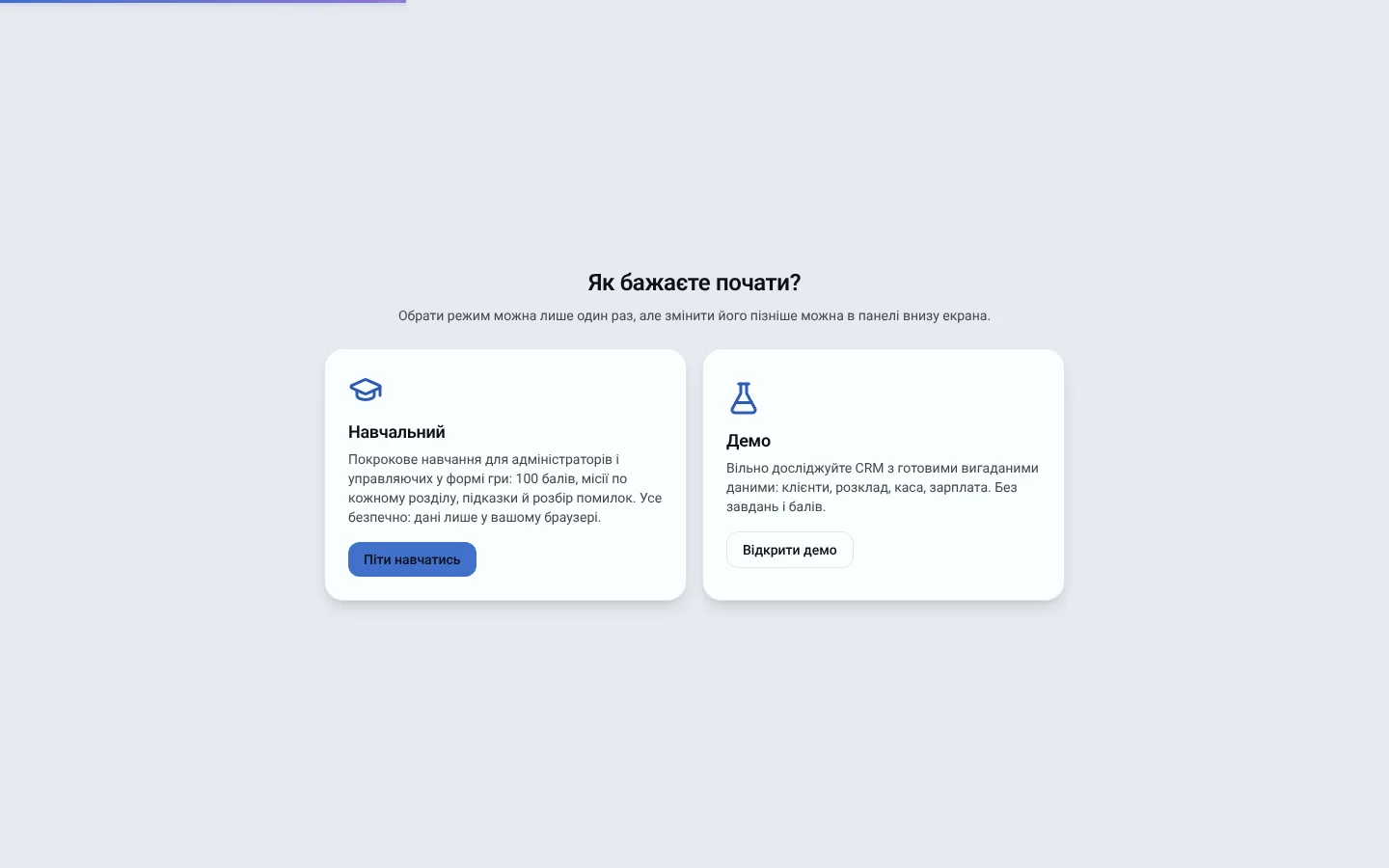
After signing in to the demo, choose Training: a separate database with clean practice data.
Missions and points
Each mission is a working situation: open a shift, sell a membership, close a shift without a discrepancy. Steps earn points, up to 100 in total.
Review of mistakes
Wrong client, payment without an open shift, a cash discrepancy: the system names the mistake, explains why it is bad and what to do. A mission can be repeated.
Graded by the result
We check what actually appeared in the system: an order, a payment, a membership, a closed shift. Button clicks alone earn no points.
What it looks like
A mission, a hint and a summary
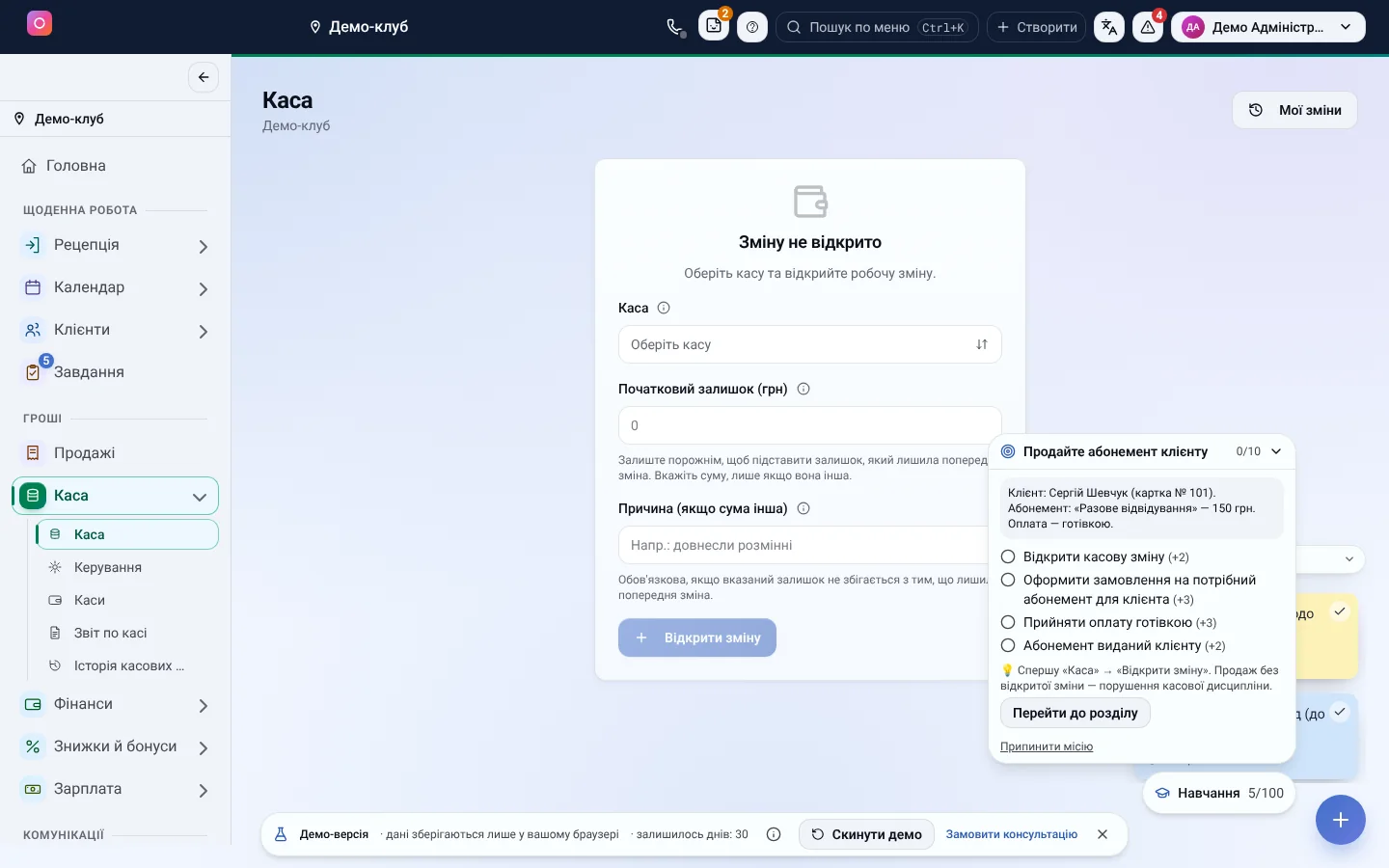
The mission card: the situation, steps with points, a hint on how to do it and a button to the right section.
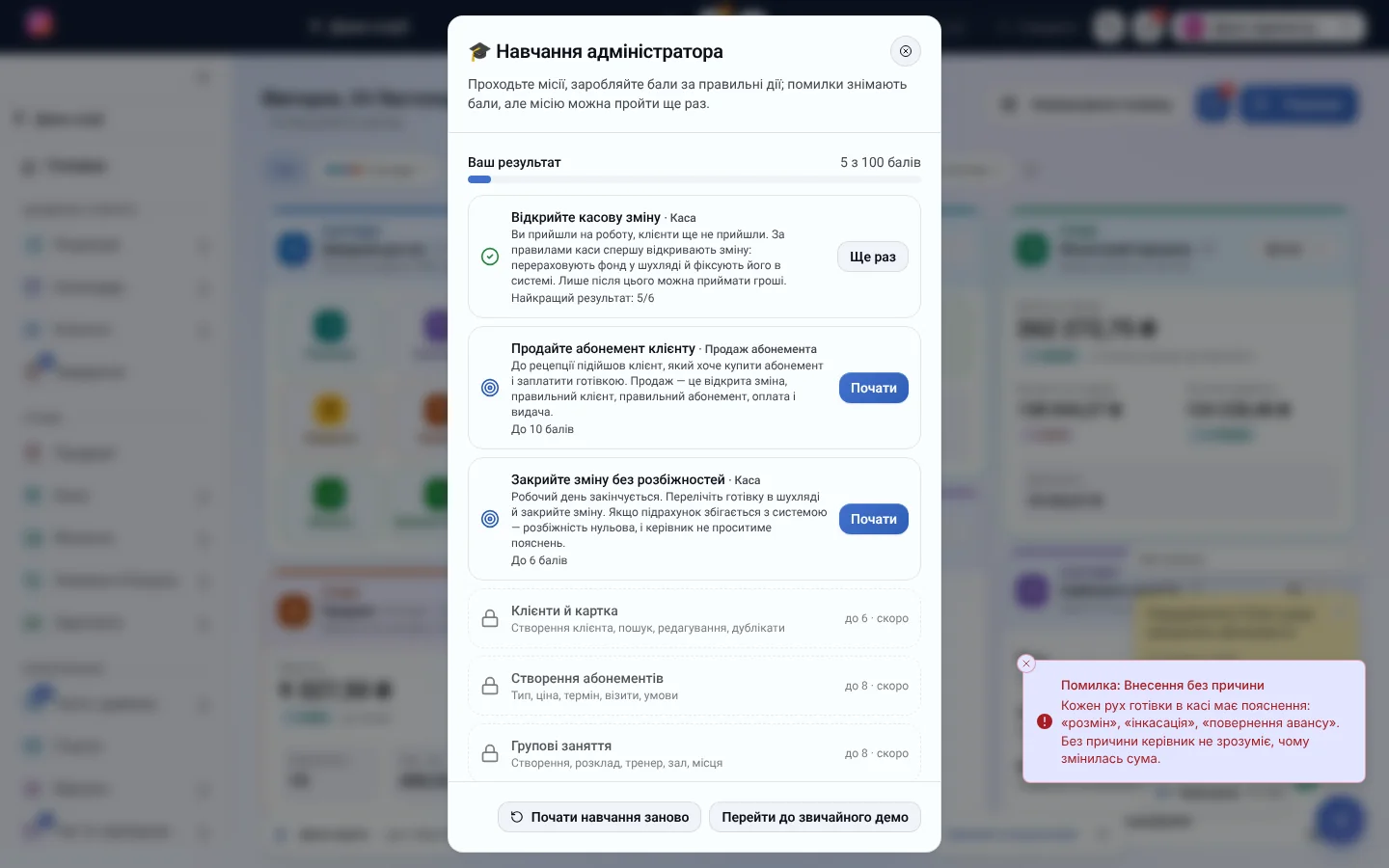
The list of missions and the score bar: points, best result and the missions coming next.
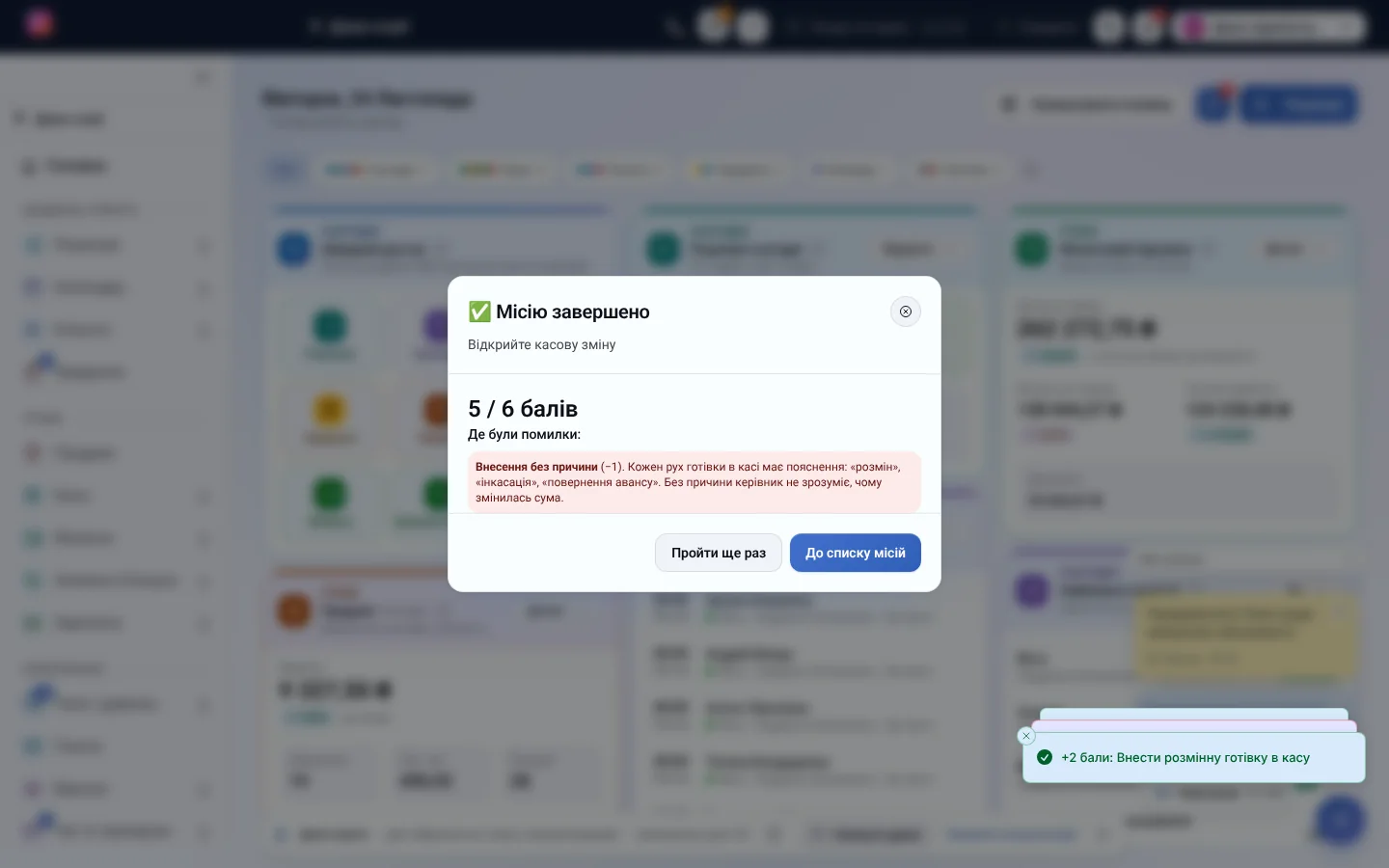
The mission summary: the result and a review of mistakes, so next time it goes right.
Programmes
Six roles, 100 points each
Each role has its own programme of missions. Missions are short: 3 to 12 minutes, with a story, a hint at every step and a review of typical mistakes. You can pause and come back.
Receptionist and manager
Cash desk and shifts, clients, selling memberships, debts, group and personal classes, attendance, schedules, staff check-ins, rentals, keys, stock.
Owner
The most detailed programme across the whole system: different membership types, access rules, work schedules, different trainer pay, roles and rights, finance and cash control.
Trainer
My day, starting and finishing a class, attendance and no-shows, requests, personal slots, chat, training plans, vacation and sick leave, my pay statement.
Cashier
Float and discrepancies, cash collection, terminal declines, refunds with tricky situations, split payments, closing a shift without a shortage.
Accountant
Accounts and transfers, expenses in parts, rates and taxes, shift reconciliation, reversing a duplicate, pay statements, adjustments, reports and stocktaking.
Operator
Conversations and WhatsApp templates, tasks and delegation, reminders, alerts, reviews, duplicate clients, moving bookings.
The owner, for example, separately learns to create truly different memberships (single visit, visit pack, unlimited, morning and evening, group-only or gym-only, trial, gift, with autostart, by time), to set reception access rules, to build schedules (five-day week, night shift, 2/2, vacations and replacements) and to configure different pay: for trainers per personal class, per group class and per hour, and for receptionists a salary plus a percentage.
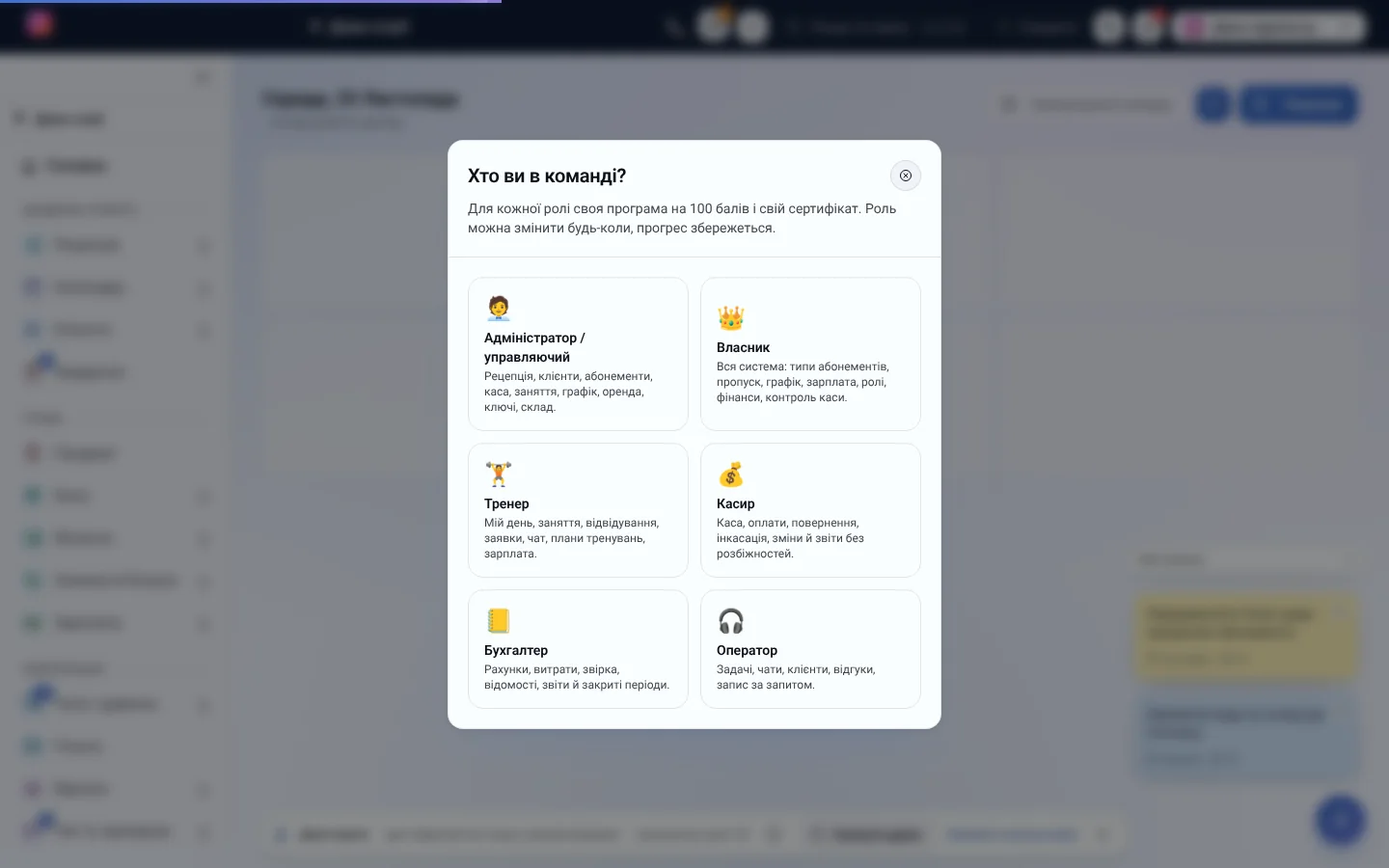
First you pick a role: each has its own programme worth 100 points, badges and a certificate.
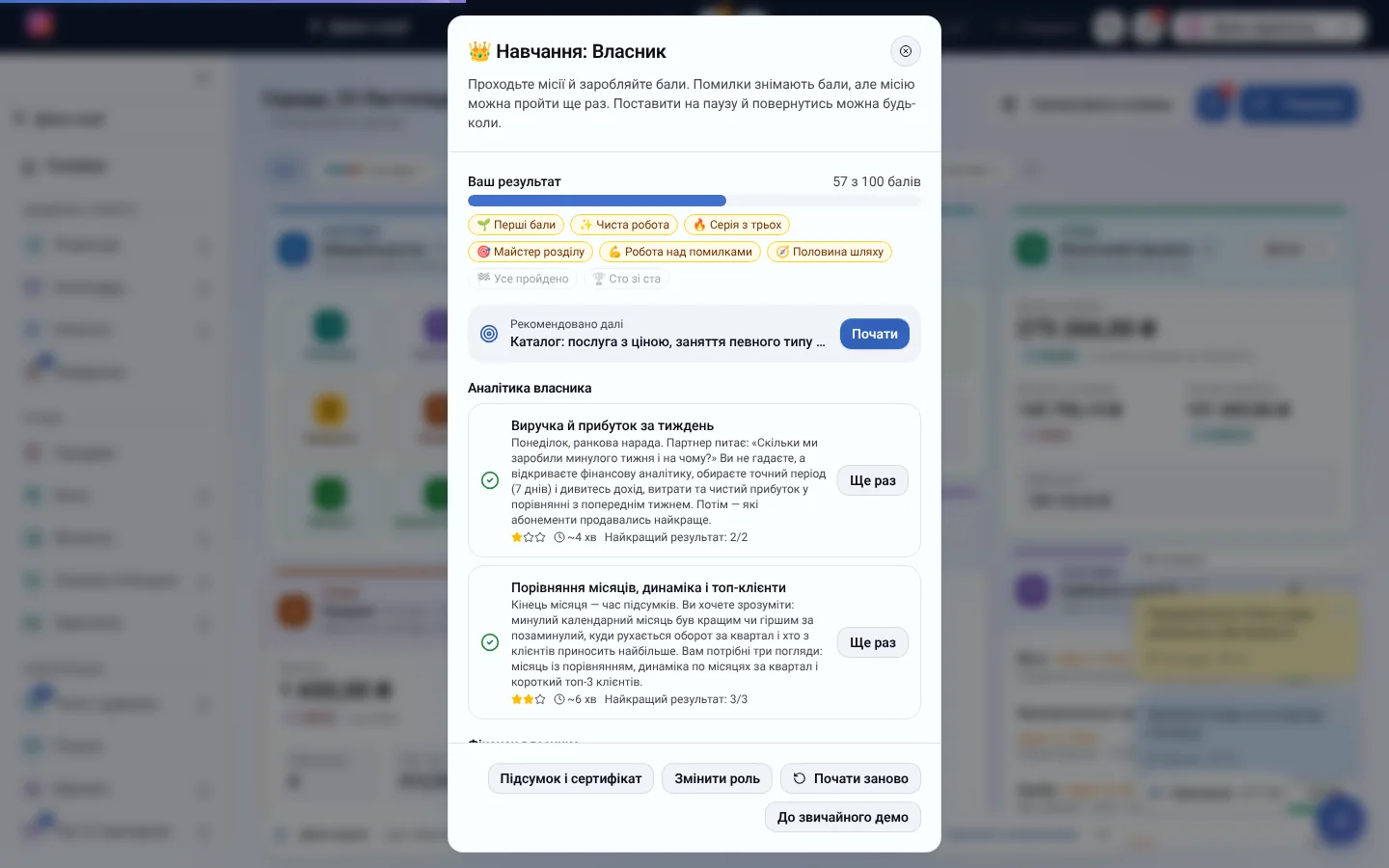
The owner programme: missions by section, achievement badges, the score bar and a recommended next mission.
Next to the work
Guided tours inside the CRM
Training does not end in the demo. In the CRM itself a new employee sees a welcome and tours after the first sign-in: short step-by-step hints right on the working screen. The owner assigns a set of tours to each role and sees a report on who has completed what. More in the documentation: staff training and the training builder for owners.
Each role has a learning path: what an owner, receptionist, manager, trainer, cashier, accountant and operator should be able to do. Open the documentation by role.
Result
Score and certificate
At the end the system shows a summary: points for each section, a level (from Beginner to Hall Master), badges and every mistake with an explanation. Whoever completes the programme can download a certificate with their name as an image. It is created in the browser and never sent anywhere.
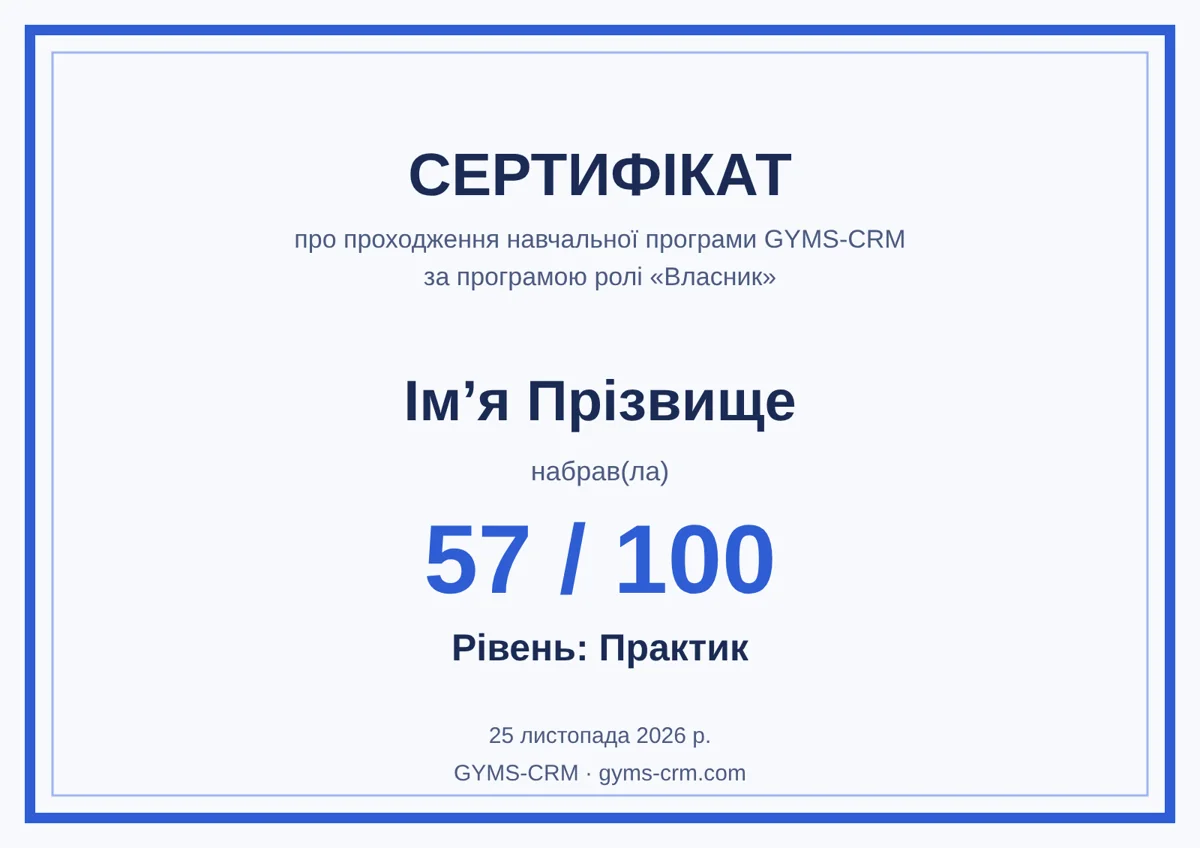
A certificate with your name, points and level. It downloads as an image and is created in the browser.
Care service
We do not leave you without attention
Training tools are half of the job. The other half is a person you can turn to. Every request gets a number and a response time, documentation and hints work inside the CRM, and during launch the care service stays in touch. Terms and response times are on the Support page.
Do not take our word for it: try the training mode now
Sign in to the demo, choose Training and complete the first mission in a few minutes. Real data is never touched.
Frequently asked questions
What is the training mode?
A separate version of the demo where a receptionist completes missions: opens a shift, sells a membership, closes the cash desk. Correct actions earn points (100 in total), mistakes cost some points, and the system explains what went wrong.
Can it damage real data?
No. The training mode runs in your browser on made-up data, separate from the regular demo and from your venue's database. You can reset it with one click and start over.
Who is the training mode for?
Six roles: receptionist and manager, owner, trainer, cashier, accountant and operator. Each role has its own programme worth 100 points and its own certificate. The owner goes through the most detailed programme across the whole system.
Can I pause the training?
Yes. A mission can be paused and resumed later, even after reloading the page: progress and points are kept in the browser.
How much does it cost?
The training mode is free in the demo. For customers, access to the staff training tools is part of support.
What is the care service?
The team that guides your launch and does not leave you without an answer: tickets with response times, Telegram, documentation and help inside the CRM. See the Support page for details and response times.
Keep reading
- DemoA personal GYMS-CRM demo for 30 days in your browser: a ready gym, clients and schedule, plus your own data. Confirm your number by phone and it opens.
- SupportHow GYMS-CRM support works: updates, round-the-clock monitoring, backups, tickets with first-response times from 2 hours. Contact us 24/7 by phone or message.
- Learning by role
- PricingHow much GYMS-CRM costs: $500* a year or $1,500* one-time. CRM, club app, club website and built-in telephony are included. 30-day money-back guarantee.
- OffersThe GYMS-CRM New Year offer until Dec 31, 2026: 10 years of licence for $500. CRM, telephony, a branded app and club website included; server paid separately.
- FeaturesEvery GYMS-CRM module: front desk and turnstiles, schedule, memberships, cash desk with fiscal receipts, trainer payroll, chats, app and website. Book a demo.
We will show the system working for your club
Leave your contacts and we will get back to you. We will go through the pricing and show how more than 300 rules can be tuned to your business. There is no need to buy straight away.